Home Page | Windows 11 Recovery And Installation
Same Day Repairs | House Calls | Drop Off | Pickup & Delivery | Map & Directions
Fast Contact Form or Call: 413 388-3121
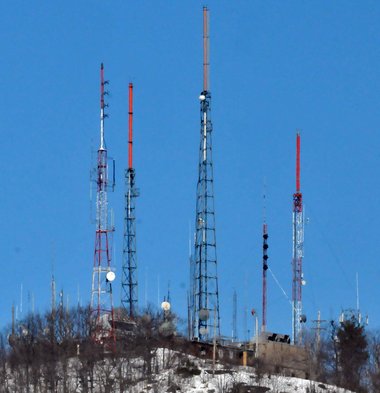
Mount Holyoke, Holyoke Ma
Emergency! 51 - ringtone
Contacting PC Steven is fast and easy
No long automated
recoding's, personally answering phone calls is the
goal. When unable to answer, calls are returned
momentarily.
PC Computer Hardware Troubleshooting
A big problem when repairing a computer is
when one faulty component causes anothere component
to slowly degrade over time and eventually fail. The
faultly component gets replaced and the
failing component works, how is this possible? It
takes a little time for the faulty component to once
again degrade the working component to the point of
no return.
Electronics can play funny tricks, it's important to have a lot of good working spare parts when preforming the process of elimination, testing equipment and error codes are not always forthcoming.
Poor quality, worn out power supply units (PSU) are a big cause of misdiagnosing the wrong computer component.
A lot of power supplies units will test correctly using a (PSU) tester, however, their are many aspects to a (PSU) providing clean accurately dependable power, especially when it is supporting a multi thousand dollar video card and computer components.
)
Inside, Massachusetts Green High Performance Computer Center (MGHPCC) Located 100 Bigelow St, Holyoke, MA 01040 This is the 2012 Construction of the data center. The public is welcome to tour this huge state-of-the-art data center on weekends. People must call in advance, easy to plan and free to visit.
)
Setting up your computer upon bringing it home
This page is for people who have just had their computer repaired by pcsteven.com (Steven). People who have had an operating system reset or reinstall may need to update a few drivers. After market software may also need to be reinstalled. If you requested to have your personnel data backed up, it would be directly placed in the root of the C:\ drive, with a shortcut icon to the data placed on the desktop named "YOUR NAME - BACK UP DATA". This data has the records your software uses to run. Most computer users are able to configure the data with their software, however if you need help just ask, I should be able to help you at no expense. I always go over these details before doing any work to a clients computer, I will not do any work if the client does not fully understand this process.
Understanding this computers anti-virus, malware protection and internet security
Windows 10 and 11 comes preinstalled with Windows Defender, the latest version of Windows Defender is highly recommended by many I.T. professionals. The original versions going back to the early 2000's were criticized for not giving the needed virus and malicious software protection that was needed at the time. Times have changed and Windows Defender is now highly regarded. I configure all the computers I repair to run updated versions of Windows Defender anti-virus and anti malware protection.
Malwarebytes is an added software program I install on top of Windows Defender, most computer technicians will agree it is good to use Malwarebytes as a second layer of protection against malware or malicious software. When I install it, it comes with a 14 day premium day trial wear it automatically runs in the back ground and offers some added internet security. After the 14 day trial the user has the choose of buying it or using it manually for free. Most people use the free version, it involves manually updating the security files and manually running the program, it is easy. Plus using the program manually is less taxing on the system resources of the computer.
Windows 11 Help &
Support
Windows 11 operating system can be installed in older computers that don't meet the minimum system hardware requirements. When a computer is capable of running Windows 10 it should be able to run and handle Windows 11.
During the Windows 11 installation process a few Windows registry keys can be adding to the system registry that will bypass the Microsoft minimum system hardware requirements evaluation.
People have not reported any problems using the system registry work around. Microsoft is providing security updates and drivers for systems that are using the added registry keys.
Windows 10 drivers are backwards compatible with Windows 11 (OS), there should not be a driver compatibility problem with installing Windows 11 on older computers.
I do not recommend using third party apps or programs to bypass Win 11 system minimum requirements. Free third party apps downloaded from the internet are bad in general.
Upgrade to an SSD hard drive for only fifty dollars more with a Windows 11 upgrade.
Can't find hard drive during Windows 11 OS installation?
Intel 11th through 14th I generation processors need a special Intel rapid storage technology (RST) driver in order to install windows 11.
Motherboards can not see the hard drive without this extra driver installation during the Windows 11 installation process, everybody finds this to be a major pain in the brain.
It is the same thing that happened during 2010 when RAID driver configuration reemerged form the 1970's, however, the terminology RAID did not get coined until the late 1980's. Let me help you with this installation problem and never worry about it again.
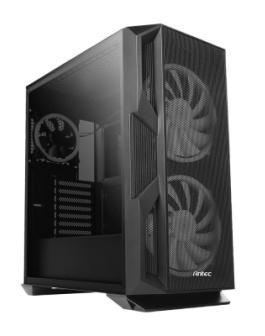
Antec computer cases are used in the custom-built computers I make for my clients. These high-performance computer cases are known for both their gaming and professional power user abilities.
High quality high output Antec power supplies, 350 to 1000 watts, assure proper pc component protection.
Long life Steal ball bearing fan motors and high-grade Aluminum or high-grade Steal construction makes this the perfect desktop computer case for computer enthusiasm.